






How to Build a Powerful Ticketing & Help Desk System
🚀 How to Build a Powerful Ticketing & Help Desk System in LeadMagno (Powered by GHL)
Stop Losing Leads, Support Requests & Revenue
Most businesses don’t have a service problem…
They have a system problem.
Messages get missed
Follow-ups get delayed
Team members don’t know who owns what
👉 The result? Lost deals, poor reviews, and frustrated customers.
With LeadMagno (built on GoHighLevel), you can turn your CRM into a fully automated ticketing + help desk system—without adding extra software.
🧠 What Is a Ticketing System in LeadMagno (GHL)?
A ticketing system in LeadMagno is a structured workflow where every customer interaction becomes:
✔ A trackable ticket
✔ Assigned to a team member
✔ Managed through pipeline stages
✔ Resolved with full history
👉 Unlike traditional help desks, this system is directly connected to:
your leads
your pipelines
your marketing automation
🔄 How the LeadMagno Ticketing System Works
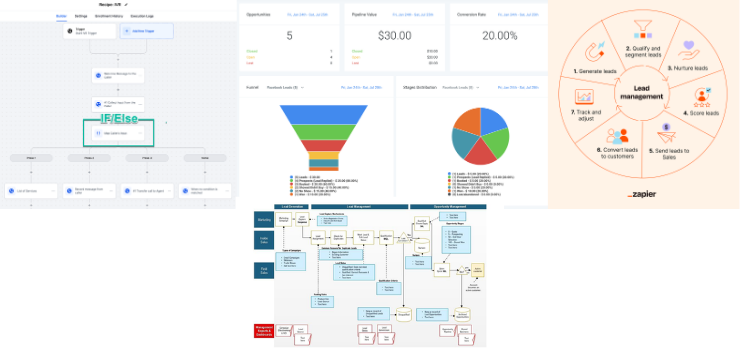
Workflow inside GHL / LeadMagno:
Inquiry (Call/SMS/Form) → Opportunity Created → Ticket Pipeline → Assigned → Resolved → Follow-up Automation
👉 Everything happens inside one system
⚖️ Help Desk Software vs LeadMagno (GHL CRM System)
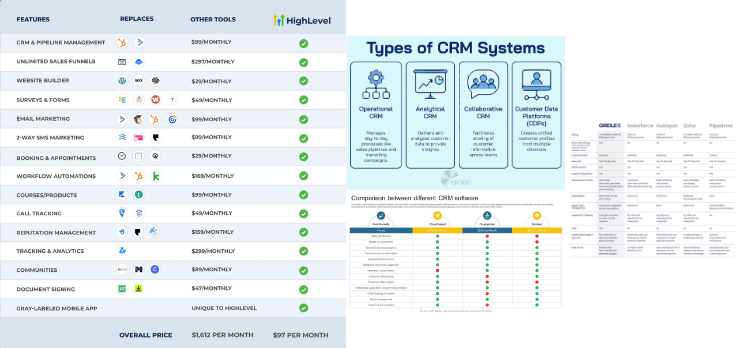
Feature Traditional Help Desk LeadMagno (GHL)System Type Support Only All-in-One CRM Data Isolated Unified (Leads + Support) Automation Basic Advanced (Workflows, AI) Channels Limited Omnichannel Revenue Impact Low High
👉 Key Insight:
Help desks solve problems.
LeadMagno creates revenue from conversations.
🧱 Step 1: Build a Ticket Pipeline (Core of GHL System)
In LeadMagno, tickets are managed using:
👉 Opportunities + Pipelines
Create a pipeline like:
New Ticket
Assigned
In Progress
Waiting
Resolved
💡 This replaces traditional “ticket dashboards.”
🔗 Step 2: Connect Tickets to Contacts (360° View)
Every ticket is tied to a contact.
This means:
Full conversation history (calls, SMS, emails)
Past deals and activity
Notes and tags
👉 Your team never works blind.
⚡ Step 3: Capture Tickets Automatically (GHL Superpower)
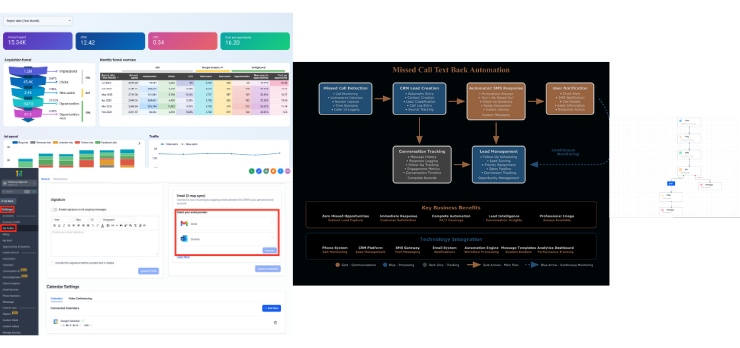
LeadMagno allows automatic ticket creation from:
📞 Missed calls (auto text-back → ticket)
💬 SMS conversations
📩 Emails
🌐 Website forms
📱 Facebook / Instagram messages
🤖 Chat widgets
👉 No manual entry. No missed opportunities.
⏱️ Step 4: Implement SLA Using GHL Workflows

You can simulate SLA (Service Level Agreements) using workflows:
Example:
If the ticket is not updated in 2 hours → notify the team
If not resolved in 24 hours → escalate
Auto-tag “Overdue” tickets
👉 This ensures:
✔ Faster response
✔ Accountability
✔ Better service quality
📊 Step 5: Track KPIs Inside LeadMagno
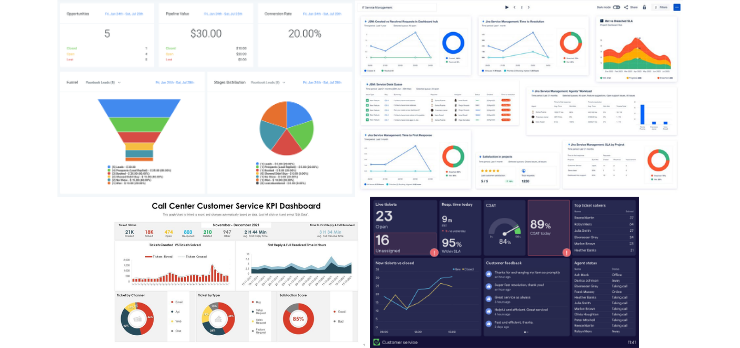
Track key performance metrics:
First response time
Resolution time
Pipeline stage movement
Conversion from ticket → sale
Customer engagement
👉 This is where LeadMagno beats help desks:
You track support AND revenue together
🔁 Step 6: Automate Ticket Workflows
Inside GHL, build workflows to:
Auto-assign tickets (round robin)
Send instant replies
Move tickets between stages
Notify team members
Trigger follow-ups
👉 This removes manual work completely.
💰 The Real Power: Support + Sales in One System
This is where LeadMagno wins.
Traditional systems:
❌ Support is separate
❌ Sales is separate
LeadMagno:
✔ Support → Follow-up → Sale
✔ Ticket → Opportunity → Revenue
🏢 Real Use Cases (LeadMagno Users)
Real Estate Teams
Track buyer inquiries
Automate showing follow-ups
Convert leads faster
Contractors
Capture missed calls
Assign service tickets instantly
Agencies
Manage client requests
Track campaigns + support
🚀 Final Thoughts
A ticketing system inside LeadMagno is not just about support…
👉 It’s about building a central nervous system for your business
Start with:
Pipeline setup
Automation workflows
Multi-channel capture
Then scale into:
SLA
KPIs
Revenue tracking
📞 Want This Built for You in LeadMagno?
We’ll set up:
✔ Ticket pipelines
✔ Automation workflows
✔ Missed call systems
✔ Multi-channel capture
✔ KPI dashboards


Facebook
Instagram
X
LinkedIn
Youtube
TikTok